


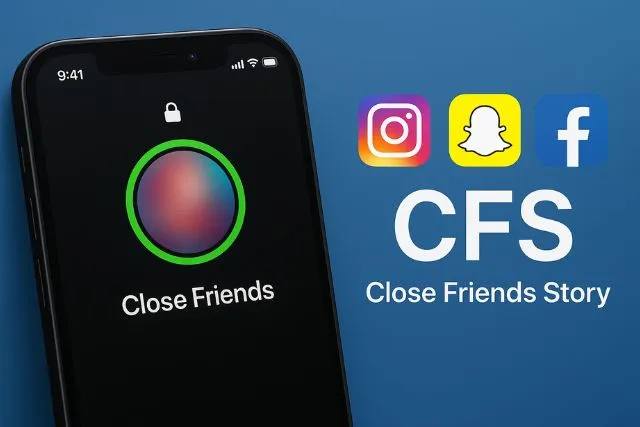
Ever tapped on someone’s Instagram story and noticed that mysterious green circle, only to wonder why you weren’t included? You’re not alone. Social media is packed with slang, abbreviations, and hidden features that confuse many users. One of the most talked-about terms right now is CFS.
If you’ve been searching for what does CFS mean in social media, this guide explains everything in simple words. From Instagram Close Friends Stories to TikTok slang and texting meanings, we’ll break it all down clearly.
In 2026, privacy has become a huge part of social media culture. People want more control over who sees their content, and that’s exactly why CFS has become so popular.
What Does CFS Mean in Social Media?
In most cases, CFS stands for “Close Friends Story” or “Close Friends List.” It refers to a private sharing feature where users post stories or updates only for selected people instead of all followers.
The term became popular mainly through Instagram’s Close Friends feature, but people now use it across many platforms, including TikTok, Snapchat, and texting apps.
When someone asks what does CFS mean in social media, they are usually talking about private Instagram stories shared only with trusted friends.
CFS Meaning on Instagram
The CFS meaning on Instagram is directly connected to the platform’s “Close Friends” feature. Instagram allows users to create a custom list of people who can view certain stories.
When someone uploads a Close Friends Story, you’ll notice a green ring around their profile picture instead of the normal colorful story ring. That green circle means the story is private and visible only to selected users.
Many users love this feature because it creates a smaller, safer online space for sharing personal moments, jokes, opinions, or unfiltered content.
According to SocialPros, the Instagram close friends feature has become especially popular among younger users who want more private interactions online.
What Is the Close Friends Story Meaning?
The Close Friends Story meaning is simple. It means a story shared with only a chosen group of people.
Instead of posting something publicly for hundreds or thousands of followers, users can limit visibility to close friends they trust.
People usually use Close Friends Stories for:
- Personal updates
- Funny or embarrassing moments
- Private jokes
- Relationship updates
- Unfiltered selfies
- Opinions they don’t want everyone to see
This feature helps people feel more comfortable and authentic online.
What Does CFS Mean in Text?
If you’re wondering what does CFS mean in text, it normally has the same meaning as social media: Close Friends Story.
Friends often use the abbreviation casually in chats or DMs.
Examples include:
- “I only posted it on my CFS.”
- “Add me to your CFS!”
- “This meme is for CFS only.”
- “Did you see my CFS today?”
In texting, the term simply refers to a private group of trusted viewers.
CFS Meaning on TikTok
The CFS meaning on TikTok is slightly different but still connected to private sharing.
On TikTok, users may use “CFS” in captions, comments, or videos to talk about private friend groups, selective audiences, or personal content shared only with close people.
Although TikTok doesn’t officially use the exact “Close Friends” system like Instagram, many creators use the abbreviation as internet slang.
Some users even use “CFS” while discussing trusted circles or private accounts where they post exclusive content for close followers only.
Where Is CFS Used Across Social Media Platforms?
Instagram is where CFS became most popular. The green-ringed stories instantly tell users they are part of someone’s private list.
Snapchat
Snapchat has a similar feature called Private Stories. Users can select exactly who can view their snaps and updates.
Facebook also allows selective sharing using custom audiences, friend lists, and privacy settings.
TikTok
TikTok users often use “CFS” as slang when discussing trusted followers, private content, or close online friend circles.
Why Do People Use CFS?
1. More Privacy
Not everyone wants to share every detail publicly. CFS allows users to keep personal moments limited to trusted people.
2. Less Judgment
People often feel more relaxed sharing content with close friends instead of their entire follower list.
3. Authentic Content
Many users post unedited photos, random thoughts, and funny moments on CFS because it feels more personal.
4. Stronger Friend Connections
Close Friends Stories help create stronger online relationships and more meaningful interactions.
How to Know If You’re on Someone’s CFS
There are a few signs that show you’ve been added to someone’s Close Friends list on Instagram:
- You see a green ring around their story
- The story says “Close Friends” at the top
- You may notice more personal or private content
If you don’t see those green-ringed stories anymore, the person may have removed you from their list.
Can Someone Remove You from CFS?
Yes. Instagram users can add or remove people from their Close Friends list anytime without sending notifications.
This means someone can quietly remove you from their CFS without you knowing directly.
According to WikiHow, Instagram does not notify users when they are added or removed from a Close Friends list.
How to Create a CFS on Instagram
- Open Instagram and go to your profile
- Tap the three-line menu
- Select Close Friends
- Add people you trust
- Create a story
- Tap Close Friends before posting
Once you use the feature yourself, understanding what does CFS mean in social media becomes much easier.
Other Meanings of CFS Online
Although Close Friends Story is the most common meaning, CFS can sometimes stand for other things depending on context.
- Content For Sale – Often used by creators or influencers
- Can’t Find Source – Used in online forums or research discussions
- Chronic Fatigue Syndrome – A medical condition unrelated to social media
However, in social apps like Instagram or TikTok, CFS almost always refers to Close Friends Story.
Is CFS Safe?
CFS is safer than public posting because only selected people can view the content. However, it’s still important to remember that nothing online is completely private.
Even Close Friends Stories can be:
- Screenshot by viewers
- Shared with others
- Recorded using another device
That’s why users should still be careful about what they post online.
CFS vs Other Social Media Terms
CFS vs Private Story
- CFS is Instagram’s version of private stories
- Private Story is a broader term used across platforms
CFS vs Finsta
- A Finsta is a separate private Instagram account
- CFS is a feature inside a regular account
CFS vs Close Circle
- Close Circle is a general phrase
- CFS specifically refers to Close Friends Stories
Examples of CFS Usage
- “Only my CFS will understand this meme.”
- “Posting this on CFS because it’s embarrassing.”
- “You’re finally on my CFS!”
- “Did you check my CFS story?”
- “Real friends get added to the CFS.”
FAQs
1. Is CFS only used on Instagram?
No. While Instagram made the term popular, people also use it on TikTok, Snapchat, and in texting.
2. Why can’t I see someone’s green-ring story anymore?
You may have been removed from their Close Friends list.
3. Does TikTok have a Close Friends feature?
Not officially like Instagram, but users still use the term CFS as slang.
4. Can people screenshot my CFS story?
Yes. Instagram does not notify users about screenshots of Close Friends Stories.
5. Is CFS popular in the US and UK?
Yes. The term is commonly used by younger social media users across both countries.
Conclusion
Now you fully understand what does CFS mean in social media and why it has become such a popular feature online. Whether someone is talking about Instagram’s Close Friends Stories, TikTok slang, or private texting groups, CFS is all about selective sharing and trusted online spaces.
As social media becomes more personal and privacy-focused, features like CFS continue growing in popularity among users who want more control over their digital lives.
If you enjoy learning internet slang and social media trends, you may also like BBG Meaning Explained or explore The Mystery of Qiowofvuhoz.
You can also browse more fun online topics and guides in our Kids Activities section.
Disclaimer
This article is for informational purposes only. Social media features and slang meanings may change over time. The Kids Magazines editorial team may update or correct this content whenever necessary to maintain accuracy and relevance.